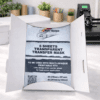

Transfer Mask Application for Multi‑Opaque Printable HTV
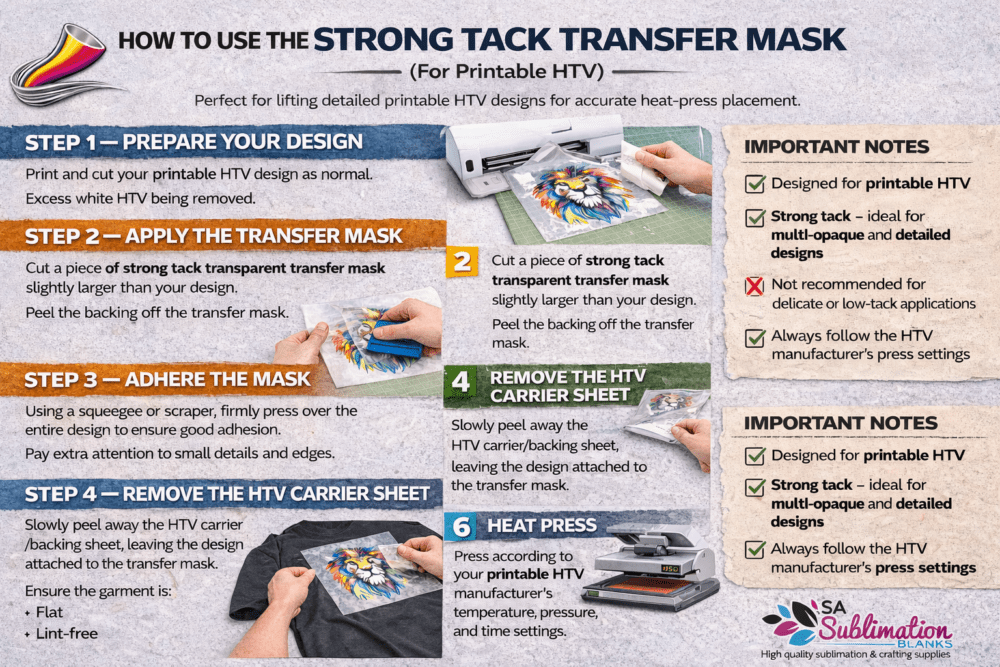
HOW TO USE THE STRONG TACK TRANSFER MASK
STEP 1 — PREPARE YOUR DESIGN
- Print and cut your printable HTV design as normal.
- Excess white HTV being removed.
STEP 2 — APPLY THE TRANSFER MASK
- Cut a piece of strong tack transparent transfer mask slightly larger than your design.
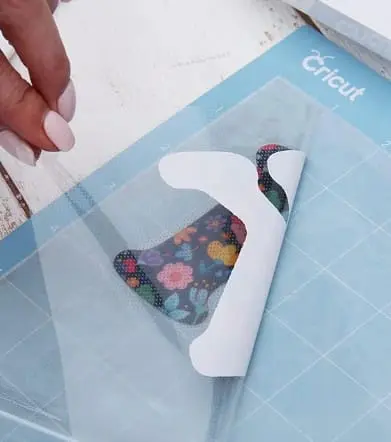
- Peel the backing off the transfer mask.
- Carefully place the sticky side down onto the printed side of the HTV.
STEP 3 — ADHERE THE MASK
- Using a squeegee or scraper, firmly press over the entire design to ensure good adhesion.
- Pay extra attention to small details and edges.
STEP 4 — REMOVE THE HTV CARRIER SHEET
- Slowly peel away the HTV carrier/backing sheet, leaving the design attached to the transfer mask.
- If any part lifts, lay it back down and squeegee again.
STEP 5 — POSITION ON THE GARMENT
- Place the design (on the transfer mask) onto the garment in the desired position.
- Ensure the garment is flat and lint free
STEP 6 — HEAT PRESS
Press according to your printable HTV manufacturer’s temperature, pressure, and time settings.
STEP 7 — REMOVE TRANSFER MASK
- Allow to cool or warm peel as specified by your HTV instructions.
- Slowly peel away the transfer mask, leaving the design on the garment.
IMPORTANT NOTES
- Designed for printable HTV
- Strong tack — ideal for multi-opaque and detailed designs
- Not recommended for delicate or low-tack applications
- Always follow the HTV manufacturer’s press settings