
How Does the Sublimation Gang Sheet Builder Work?
If this is your first time using the builder, please read the instructions below and watch the video tutorial before you begin.
It may feel a little unfamiliar at first, but don’t worry — have a play around with the builder and you’ll quickly get the hang of it.
Step 1 – Select Your Sheet Size
Choose the paper size you require:
- A4
- A3
Make sure you select the correct size before creating your design.
Step 2 – Open the Gang Sheet Builder
Click the PINK “Create Design” button below the paper size you selected.
This will open a new browser tab using our design builder, Antigro.
Step 3 – Upload Your Artwork
Click the blue “Upload Files” tab at the top left of the builder and upload your images.
For the best print quality:
- Use high-resolution PNG files
- We recommend artwork at 300 DPI
- Make sure there are no unnecessary backgrounds around your artwork
- Upload the best-quality artwork you have available — the quality of the final print depends on the quality of the file supplied
The builder will warn you when your artwork resolution is too low:
- Orange Warning: approximately 250–300 DPI
- Red Warning: below approximately 250 DPI
If you continue using low-resolution artwork, your finished print may appear blurry, pixelated or unclear.
Step 4 – Keep Your Designs Inside the Safe Area
The builder allows you to arrange your artwork within the A4 or A3 sheet selected in Step 1.
Important: Keep all artwork inside the pink dashed lines.
Do not place any part of your design outside these lines, as this could result in artwork being cut off or printing beyond the usable area of the sheet.
Step 5 – Arrange Your Designs
Once you have uploaded your images, you can:
- Drag and drop designs onto the canvas
- Move your artwork around
- Resize your designs
- Delete unwanted designs
- Flip or rotate artwork
- Bring designs forward or send them backwards
- Duplicate designs
- Auto-fill the sheet with multiple copies
- Add a specified gap between repeated designs
When using Auto-Fill, make sure “Keep in Safe Zone” is switched on.
There is also a Remove Background option. Please use this carefully. Automated background-removal tools may sometimes remove parts of the artwork that you actually need, particularly where colours are similar to the background.
Always check your artwork carefully before submitting.
Step 6 – Confirm and Submit Your Design
Once you are happy with your gang sheet:
- Click the GREEN “Confirm” button at the top right.
- Select “Confirm My Designs.”
- Enter your email address.
- Select “Confirm My Designs” again.
- Wait to be redirected back to our website, or click “Redirect Now.”
Please check your complete gang sheet carefully before confirming. Once submitted, you will not be able to go back and make changes.
Step 7 – Complete Your Order
Once redirected back to our website, continue through the normal cart and checkout process to place your order.
Saving Your Design for Later
If you are not ready to submit your design yet, you can save it and return to it later.
Simply click “Save” next to the “Confirm” button.
Please note:
- Once your design has been submitted, you cannot go back and edit it.
- Submitted designs are only retained on the server for approximately 30 days.
- If you would like the same design printed again after this period, you may need to recreate and resubmit your gang sheet.
Turnaround Time
Please allow approximately 2–7 working days for customised sublimation prints.
All sheets are printed to order, and this turnaround time allows for busy production periods as well as any unforeseen printer downtime.
IMPORTANT – PLEASE CHECK YOUR ARTWORK BEFORE SUBMITTING
1. We print exactly what you submit.
We cannot accept responsibility for:
- Incorrect artwork sizing
- Low-resolution or inadequate DPI files
- Pixelated or poor-quality artwork
- Incorrectly prepared artwork
- Unwanted backgrounds
- Incorrect colours supplied in the original file
- Artwork positioned outside the safe print area
Please check your entire gang sheet carefully before clicking Confirm.
2. Important Information About Sublimation Printing
Sublimation printing does not print white ink.
Any white areas within your artwork are effectively transparent and will show the colour of the item underneath.
Sublimation works best on:
- White or very light-coloured products
- 100% polyester fabrics, or fabrics/products specifically manufactured or coated for sublimation
When sublimating onto pastel or coloured materials, the colour of the item will affect the colours in your design.
For example, if your design contains white and you press it onto a pink polyester shirt, the white areas will appear pink, because no white ink is printed.
Similarly, printing one colour over another can change the final appearance of your artwork.
Sublimation is not suitable for dark or black fabrics.
Watch the Video Tutorial
If this is your first time using our Sublimation Gang Sheet Builder, we strongly recommend watching the tutorial before submitting your first design.
Watch the Sublimation Gang Sheet Builder Tutorial
METHODS OF APPLICATION
Tumbler or Mug Press Method
Press your sublimation print using a suitable tumbler or mug press. Temperature, pressing time and pressure will vary depending on the blank being used, so always follow the recommended pressing instructions supplied by the manufacturer or supplier of your sublimation blank.
Oven Method – Clamp Required
When using an oven, secure the sublimation print firmly to the blank using the appropriate sublimation clamp or suitable wrap. Heating temperature and time will depend on the specific substrate, so always follow the blank supplier’s recommended application instructions.
IMPORTANT
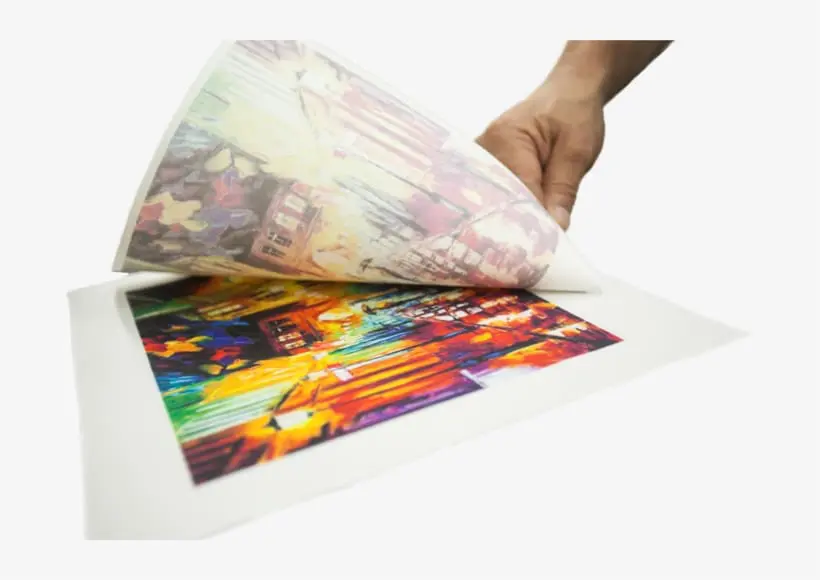
When you receive your sublimation prints, the colours will normally appear lighter and duller than the final result. This is completely normal. The colours become vibrant once the print has been correctly heat-pressed onto a suitable sublimation substrate using the correct temperature, time and pressure.
Please ensure you know the correct application method and settings for the blank you are using. We cannot be held responsible for application errors, incorrect temperature or pressing times, insufficient or excessive pressure, ghosting, scorching, movement during pressing, or other issues that occur during the application process.

![Sublimation Blanks : Desk Mat [78cm by 30cm] (You submit, we print & we Press)](https://sasublimationblanks.co.za/wp-content/smush-webp/2026/09/BarBat_press3-300x400.png.webp "BarBat_press3")
