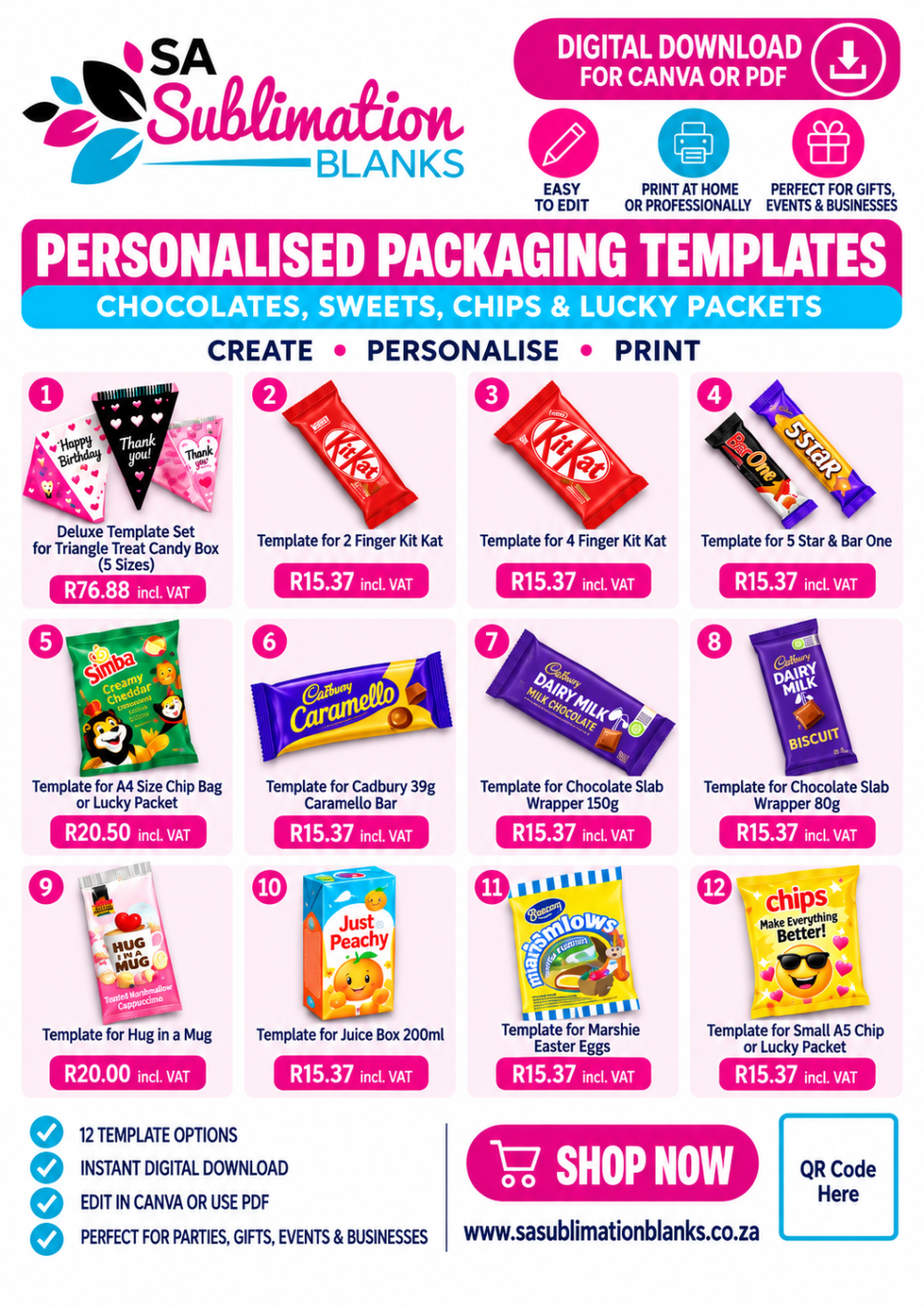
Personalised Packaging Template Starter Pack – 12 Digital Templates
Start creating your own personalised party packaging with our 12-template digital starter pack.
This bundle gives you a versatile collection of packaging templates for chocolates, sweets, chips, lucky packets, drinks, gifts and party treats, making it ideal for birthdays, baby showers, weddings, school events, corporate gifting, themed parties and personalised treat businesses.
Simply add your own colours, wording, photographs, graphics, logos and branding to create packaging for virtually any occasion.
12 Templates Included
Your starter pack includes:
- Triangle Candy Treats Deluxe Box – 5 sizes
- 2 Finger Kit Kat Wrapper
- 4 Finger Kit Kat Wrapper
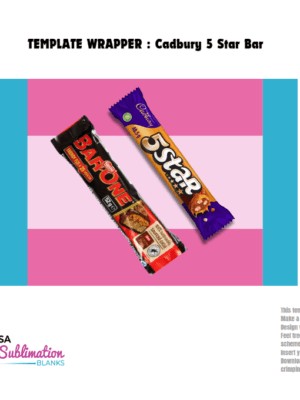
- 5 Star & Bar One Wrapper
- A4 Large Chip Bag / Lucky Packet
- Cadbury 39g Caramello Bar Wrapper
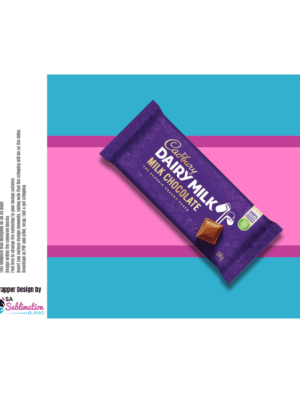
- 150g Chocolate Slab Wrapper
- 80g Chocolate Slab Wrapper
- Hug in a Mug Wrapper
- 200ml Juice Box Template
- Marshie Easter Egg Wrapper
- A5 Small Chip Bag / Lucky Packet
Why You’ll Love It
Instead of buying your templates individually, this starter pack gives you 12 useful packaging designs in one convenient bundle.
It’s a great option for beginners wanting to start making personalised treats, as well as established crafters wanting to expand their product offering.
You can use the same templates again and again for different themes simply by changing the:
- Colours
- Names
- Wording
- Photographs
- Graphics
- Patterns
- Business branding
- Event themes
One template can therefore be used to create completely different finished products for birthdays, weddings, corporate events, Christmas, Valentine’s Day, Easter, baby showers and much more.
We also stock the consumables required for personalised packaging so you can get the tools and materials needed to start creating.
For suitable packaging projects, we recommend printing on our printable inkjet paper for improved adhesion and a neat finished result.
Canva or PDF – You Choose
The templates can be used in Canva, or you can work with the supplied PDF files in compatible design software such as:
Photoshop • Illustrator • Affinity • CorelDRAW • and other suitable design programs
The templates are editable, allowing you to change colours, add your own artwork and customise the design to suit your project.
How to Use Your Templates
- Make a copy of the original template before you start designing.
- Design within the coloured blocks provided.
- Feel free to change the colours to suit your own theme or branding.
- Add your own names, wording, photographs, logos, graphics and other design elements.
- Keep folds, seals and crimping areas in mind when positioning important artwork.
- Once your design is complete, remove all instructions, guides and logos that are not meant to appear on the finished packaging.
- Download as a PDF and print.
- Then simply cut, wrap, fold and get crimping!
Important Notes
- This is a DIGITAL DOWNLOAD ONLY. No physical items will be shipped to your address.
- The templates have been designed to work on A4 or A3 pages, depending on the individual template.
- Each template has its own dimensions, design areas, page size and assembly requirements.
- Chocolates, sweets, chips, drinks and other physical products shown in example images are not included.
- The coloured blocks are provided as design guides and can be changed to suit your own colour scheme.
- Keep important wording, photographs and graphics away from areas that will be folded, sealed or crimped.
- We recommend keeping an untouched copy of each original template so that you always have a clean master version.
- Printing requirements may differ depending on the template and finished product.
Receiving Your Digital Files
Once payment has been completed, your digital files can be downloaded through your account under Orders.
The system will also send you an email containing your download links.
Depending on the supplied file type, you will receive:
Canva Templates
A PDF document containing the link or links needed to access the templates. Make sure you are already signed into your Canva account before opening them.
PDF Files
Downloadable PDF templates that can be opened in compatible design software.
Important Canva Update
Canva Template Links: Effective 2 June 2025, Canva’s Template Links feature transitioned to a premium feature. Canva Free users may therefore no longer have access to certain Template Link functionality.
Canva controls its own features and subscription requirements, and these may change independently of SA Sublimation Blanks.